This walkthrough will help you to re-start the pumps in the molecular beam instrument at US5.
When power is out
In case of a power outage: Check if the power is still down, and check the pressures on the MaxiGauge on the instrument (control panel on the right side of the instrument).
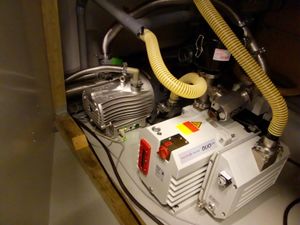
Check the two fore vacuum pumps under the stairs: the scroll pump should start automatically when power comes up, the rotary vane will stay off (keep it that way).
left is the scroll pump
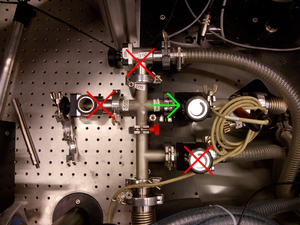
Ensure that the fore vacuum line is only open toward the intracavity turbo pumps.
only intracavity valve open
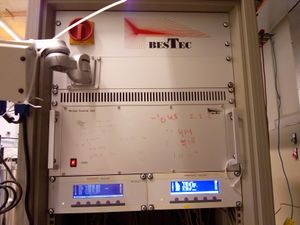
Switch on the main power of the Bestec 19" rack.
top left
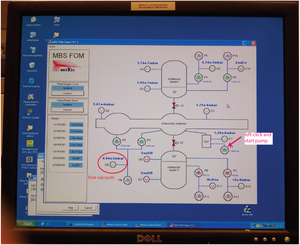
The PC should start automatically, and spawn the vacuum control program (shortcut on desktop)
Ensure pumps P1, P2 and P3 start have started automatically (they should show yellow, indicating a rising pump speed).
If not: start them by left-clicking either of the pumps and select "start" in the popped-up window; Then close the window.
(Usually, starting one will also start the other two, but this sometimes fails. To be sure, start each one explicitly).
(If pump stays red, displaying 0 Hz, communication may have failed. Cycling the power supply frequenly helps).
If you have not switched off the power supplies (in the "when power is out section"): stop pumps P4, P5, P6 and P7.
top left
Pressures on G1, G2 and G3 should rapidly drop to 10-5, the foreline pressure is G8, it should be 10-2—0.1 mbar