From HFML-FELIX Wiki
This special page shows all uploaded files.
| Date | Name | Thumbnail | Size | Description | Versions |
|---|---|---|---|---|---|
| 11:58, 18 March 2020 | RemoteDesktopLocalhost3399.png (file) |  |
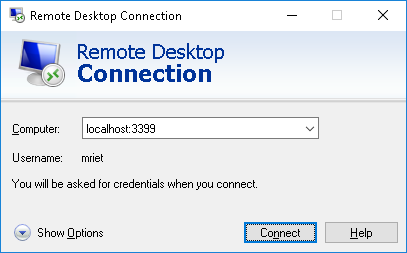
15 KB | Start Remote Desktop Connection Connect to localhost:3399 | 1 |
| 11:55, 18 March 2020 | RemoteDesktopLocalhost.png (file) |  |
15 KB | Start a Remote Desktop Connection on localhost:3399 | 3 |
| 11:48, 18 March 2020 | Felix-control222 Tunnels PC.png (file) |  |
17 KB | Tunnels (port forwarding) Source port: 3399 Destination: "PC_ip-addres":3389 | 2 |
| 10:07, 18 March 2020 | Felix-control login.png (file) |  |
14 KB | 1 | |
| 09:40, 18 March 2020 | Felix-control222.png (file) |  |
61 KB | Open on puTTY a "new session" puTTY Configuration (felix-control @ port 2222) Host Name: localhost Port: 2222 | 1 |
| 09:15, 18 March 2020 | Lilo login&find-IP.png (file) |  |
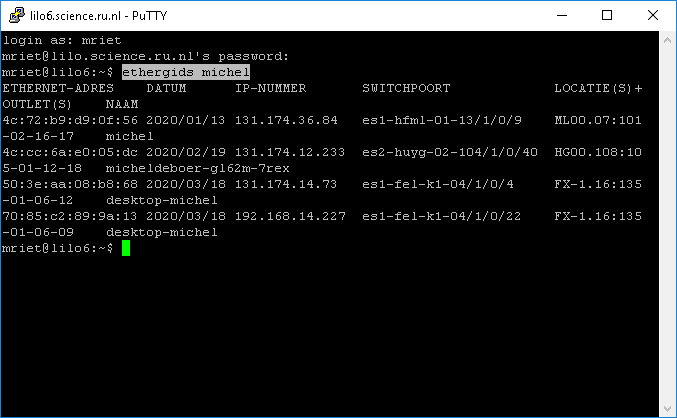
15 KB | login at lilo command: ethergids "PC-name" (to find ip-addres of your PC) | 2 |
| 09:10, 18 March 2020 | Lilo22 Tunnels L2222 felix-control22.png (file) |  |
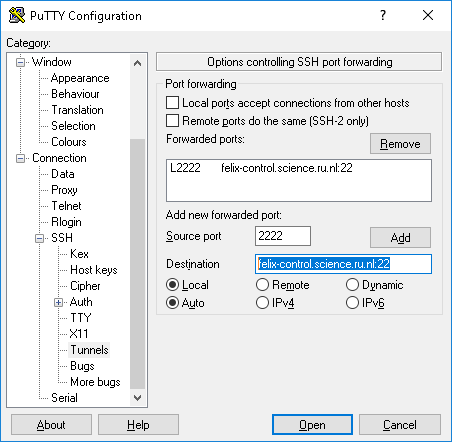
18 KB | Create a Tunnel to felix-control | 2 |
| 09:05, 18 March 2020 | Lilo.science.ru.nl 22.png (file) |  |
16 KB | PuTTY Configuration Host Name: lilo.science.ru.nl Port: 22 | 1 |
| 14:45, 19 February 2018 | Info-RF-Switch.png (file) |  |
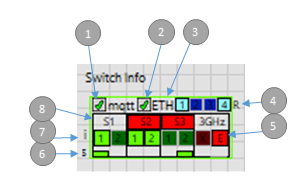
31 KB | 1 |